Works without Wi-Fi

Your cruise, perfectly planned

Everything for your voyage in one place — your itinerary, port stops, weather and staying in touch with your group. NEW: Guest Wi-Fi Chat — guests join your hotspot and chat in their browser, no app, no internet, live.

✓ Works offline ✓ Real weather ✓ Group + Guest Wi-Fi chat
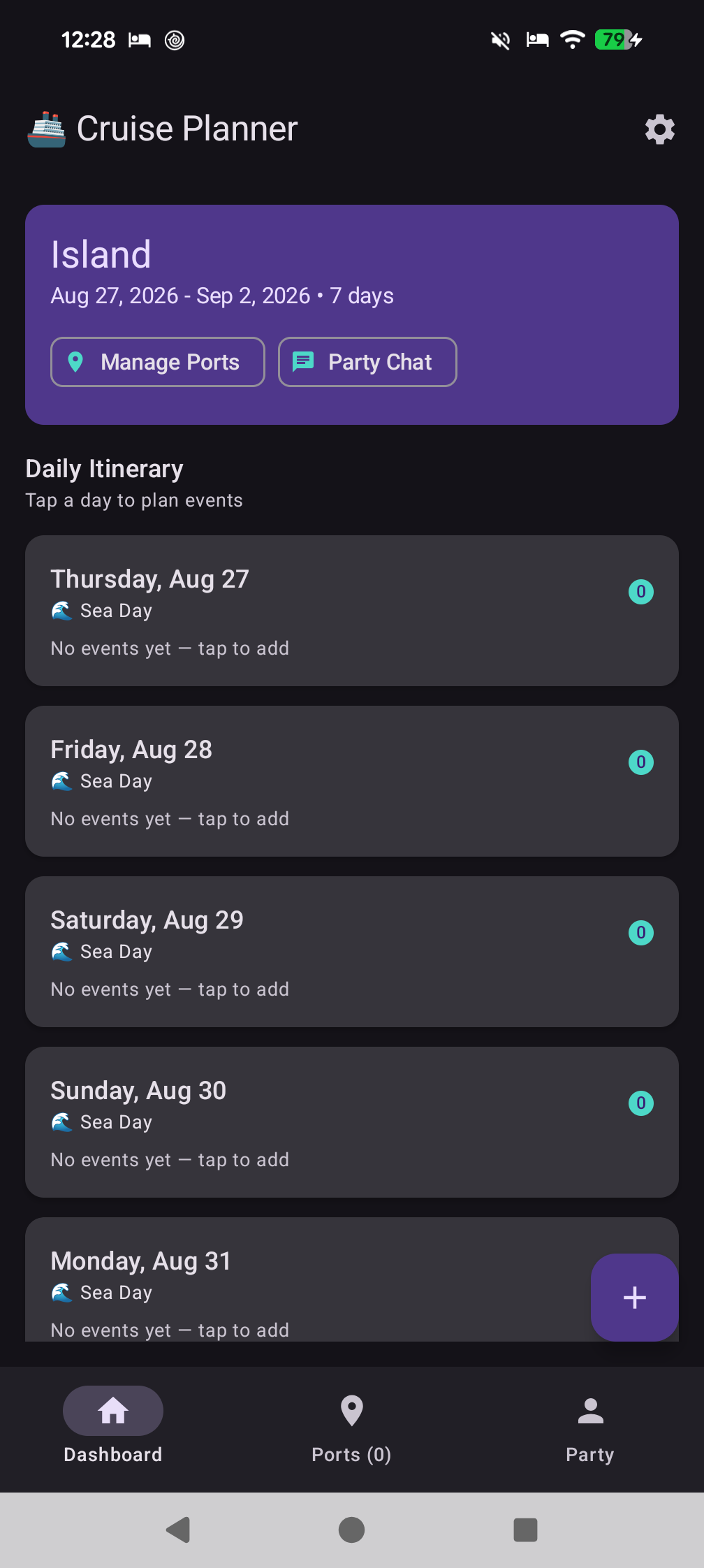
Dashboard screenshot
🌦️
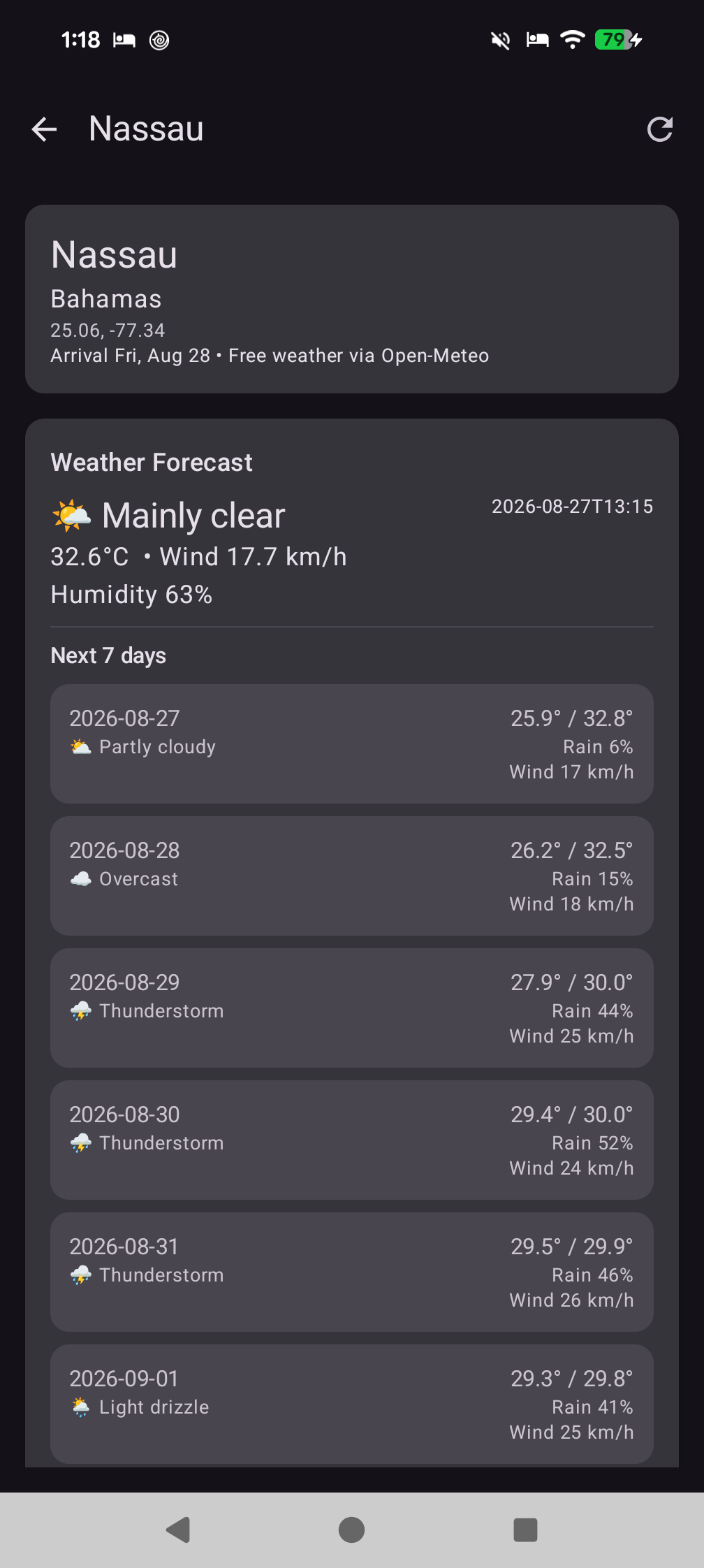
Nassau • 28.2°C7-day forecast
💬
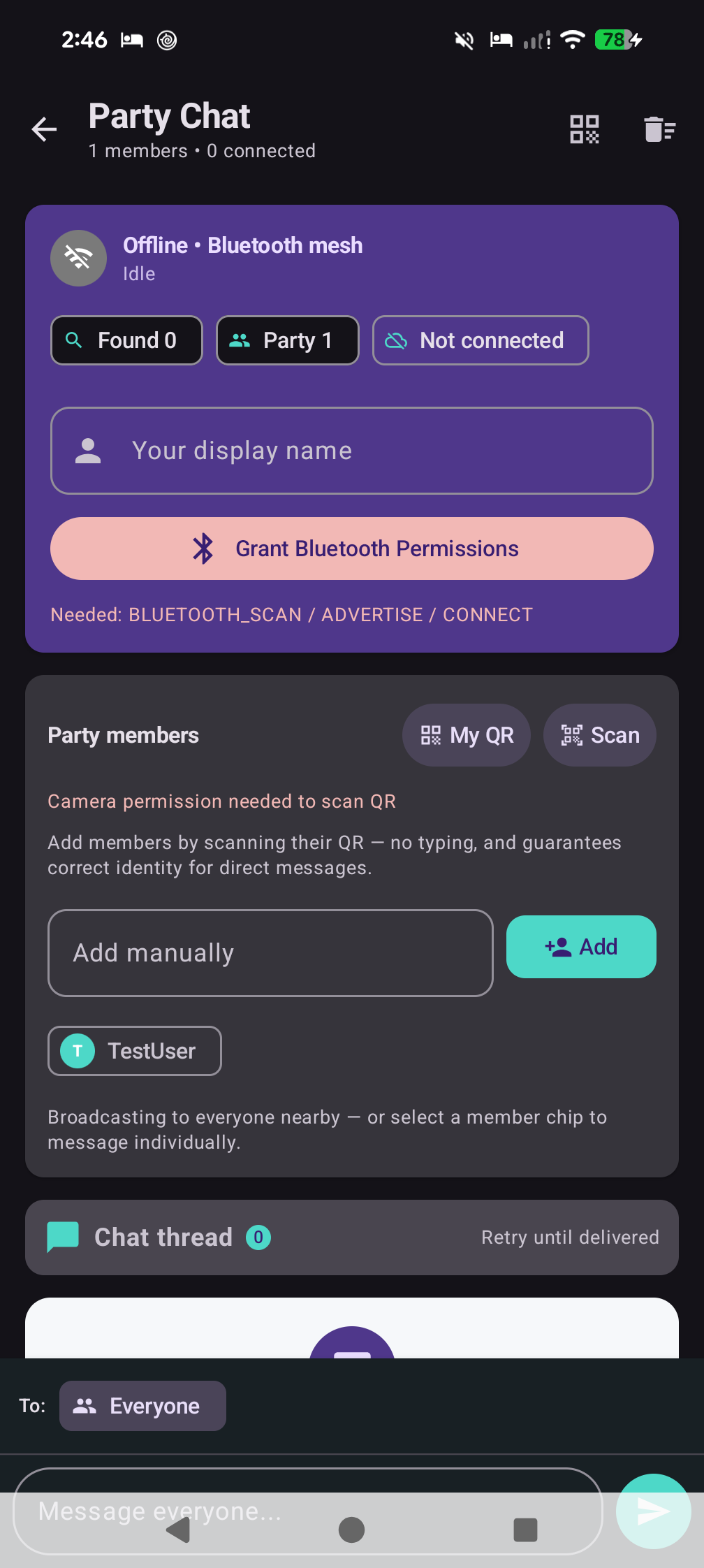
Party chat + Guest Wi-FiBrowser guests, no app
🔔
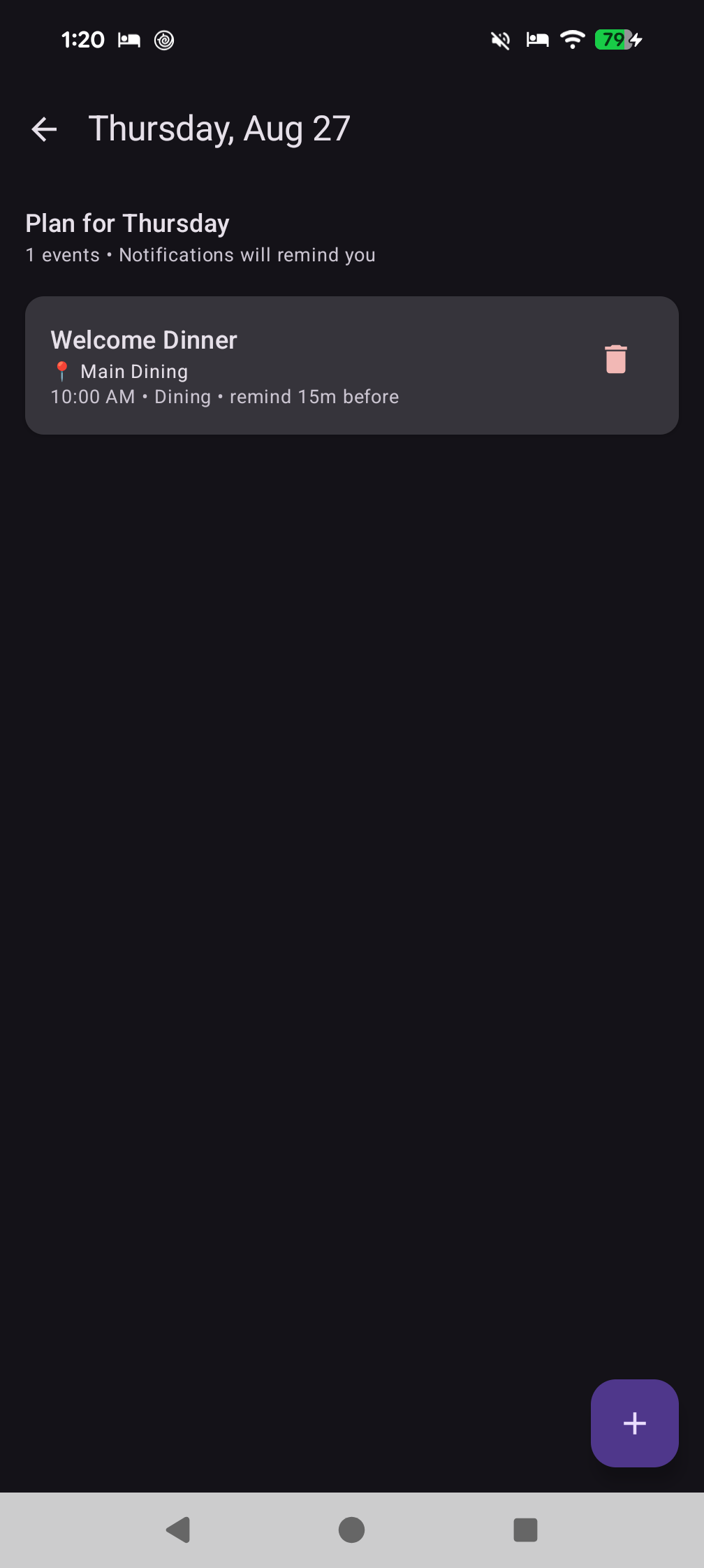
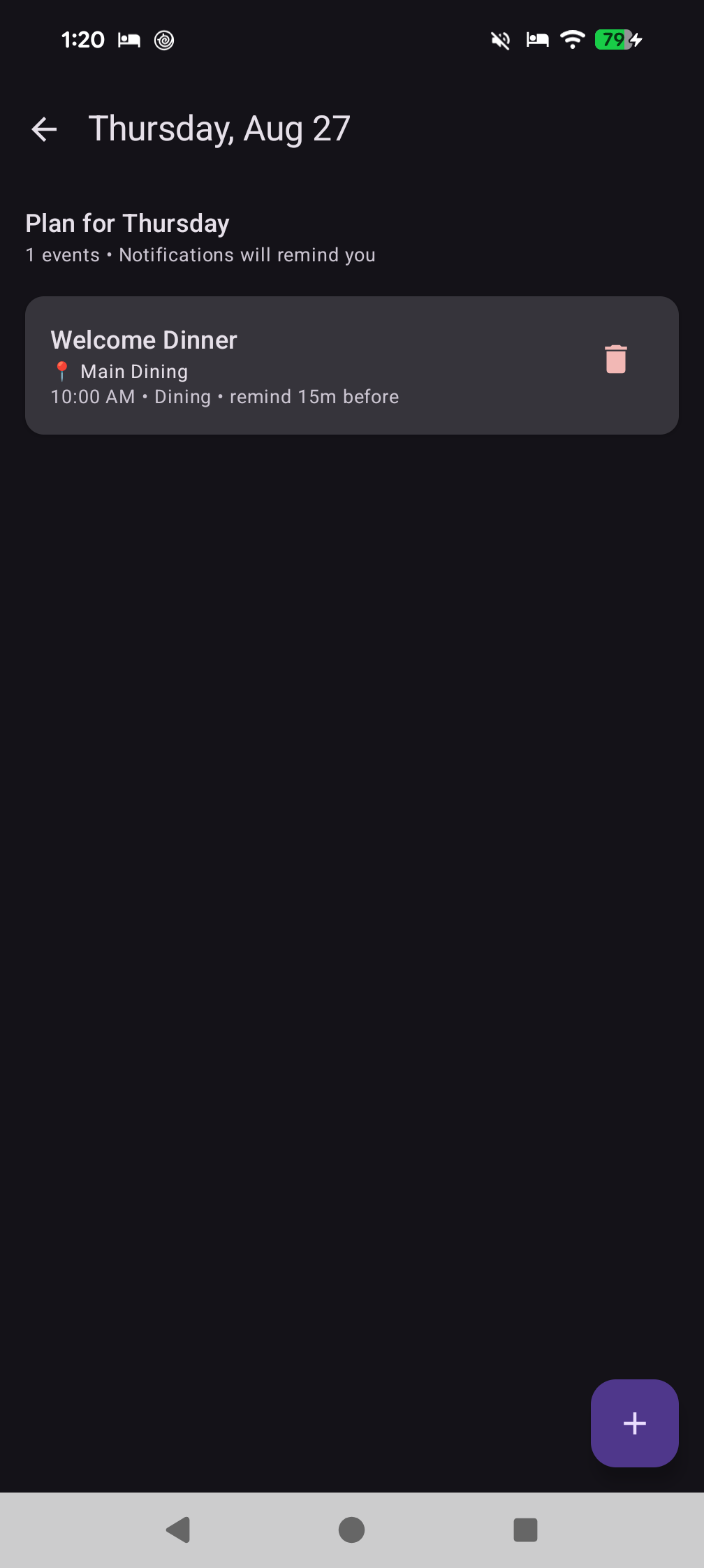
Welcome Dinner • 10:00Reminder set
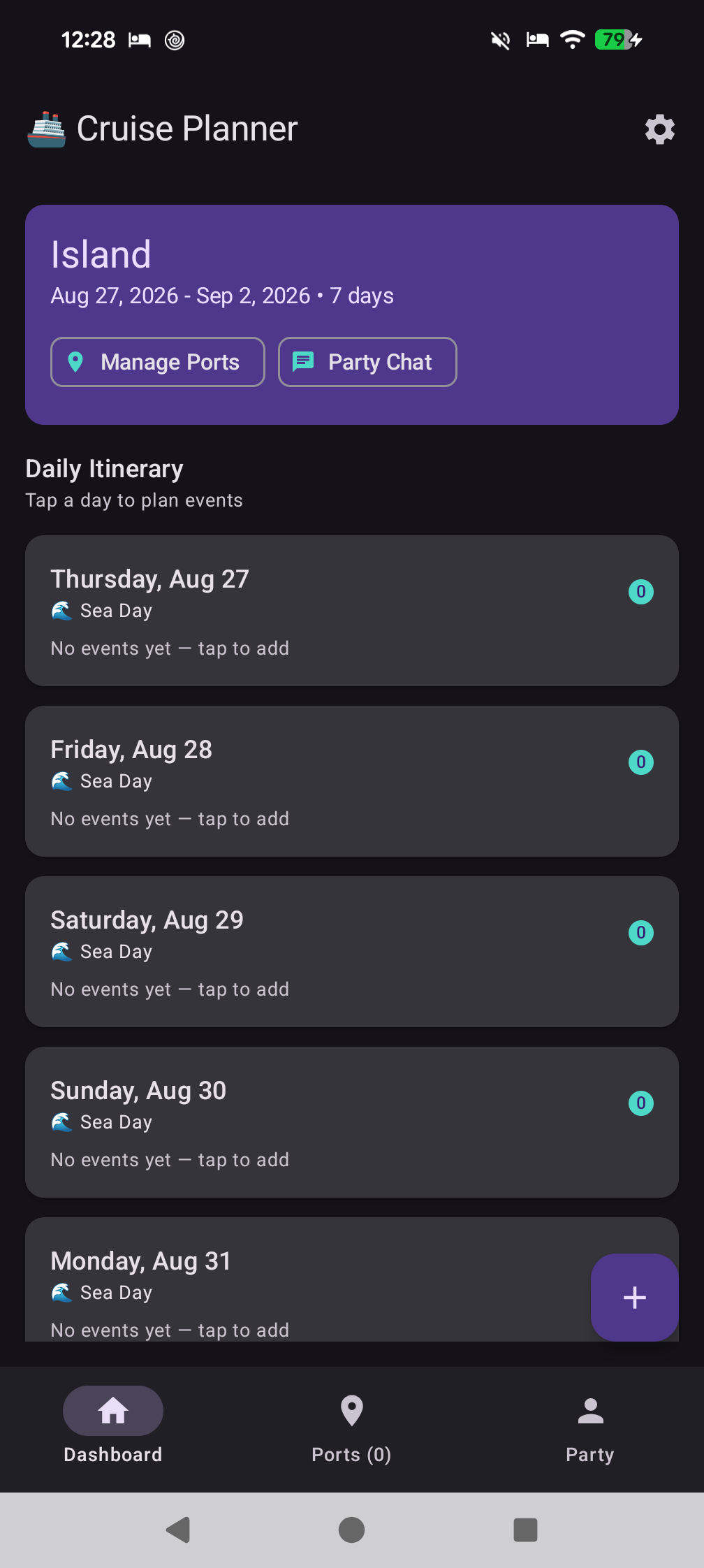
Plan every daySea days & port days
Stay in syncWith your group
Real weatherCached for offline
Quick tour

See it in action

A quick look at how it works — real screens from the app. Now on YouTube.

~51 sec • Human voiceover • Captions included — youtu.be/IcxRiCjYRSk Watch on YouTube ↗Download MP4
Also hosted: promo.mp4•github.com/chartmann1590/cruise-app•Ends with website + GitHub card
Features

Made for life on board

Simple tools for the parts of a cruise that matter most.

🗓️

Plan your days

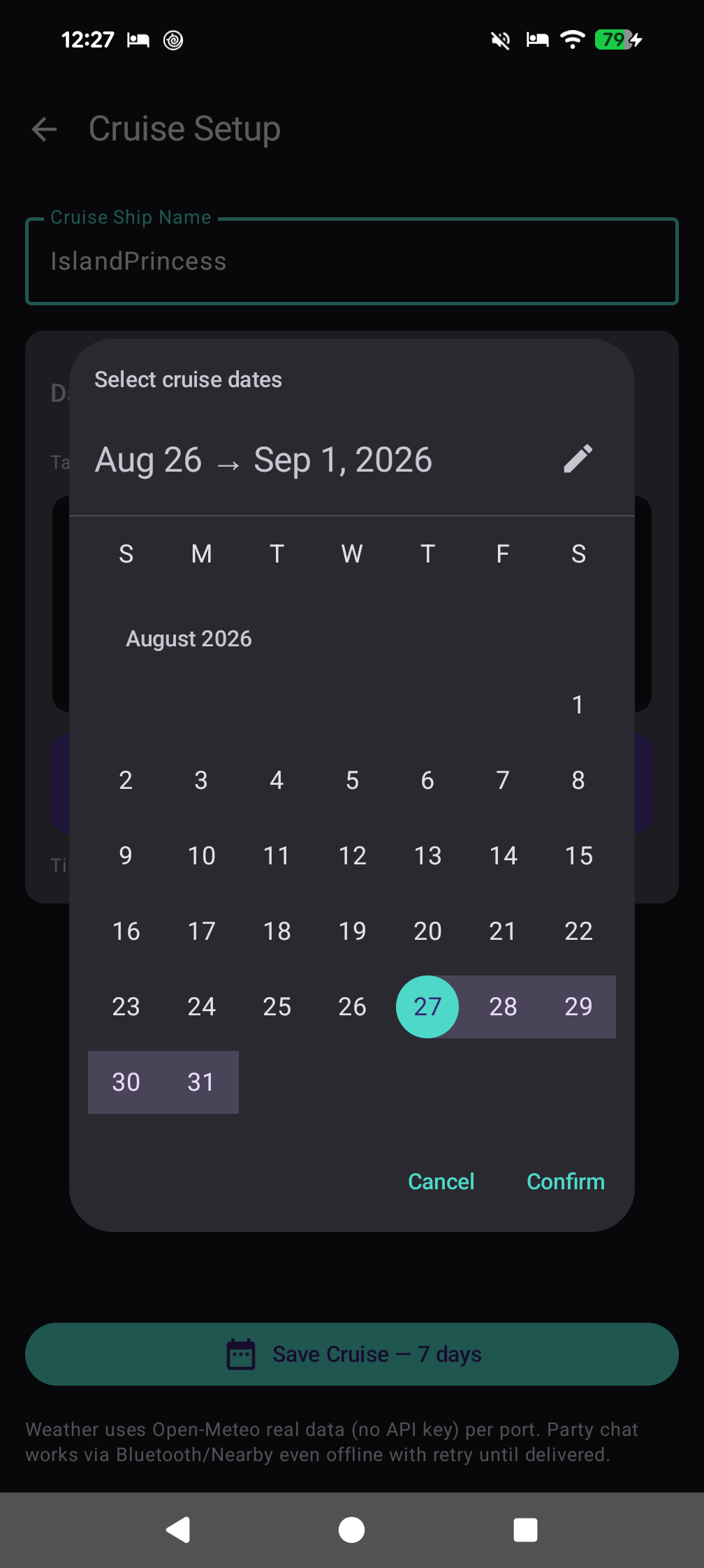
Create your trip, set your dates, and build an itinerary for every sea day and port day. Add dinners, excursions and reminders in a few taps.

📍

Add port stops

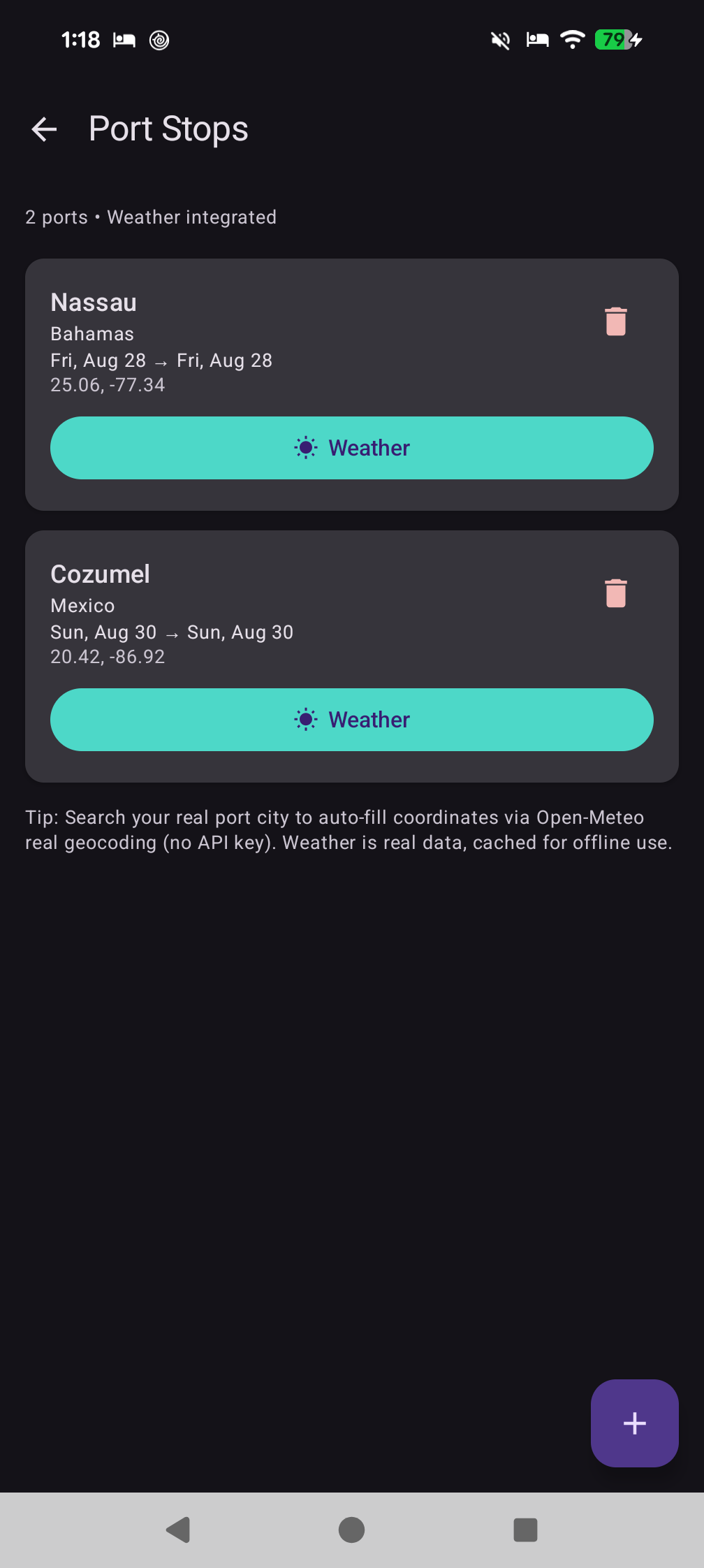
Search for a city and add it to your route. We fill in the location for you so you can keep planning.

🌤️

Weather when you need it

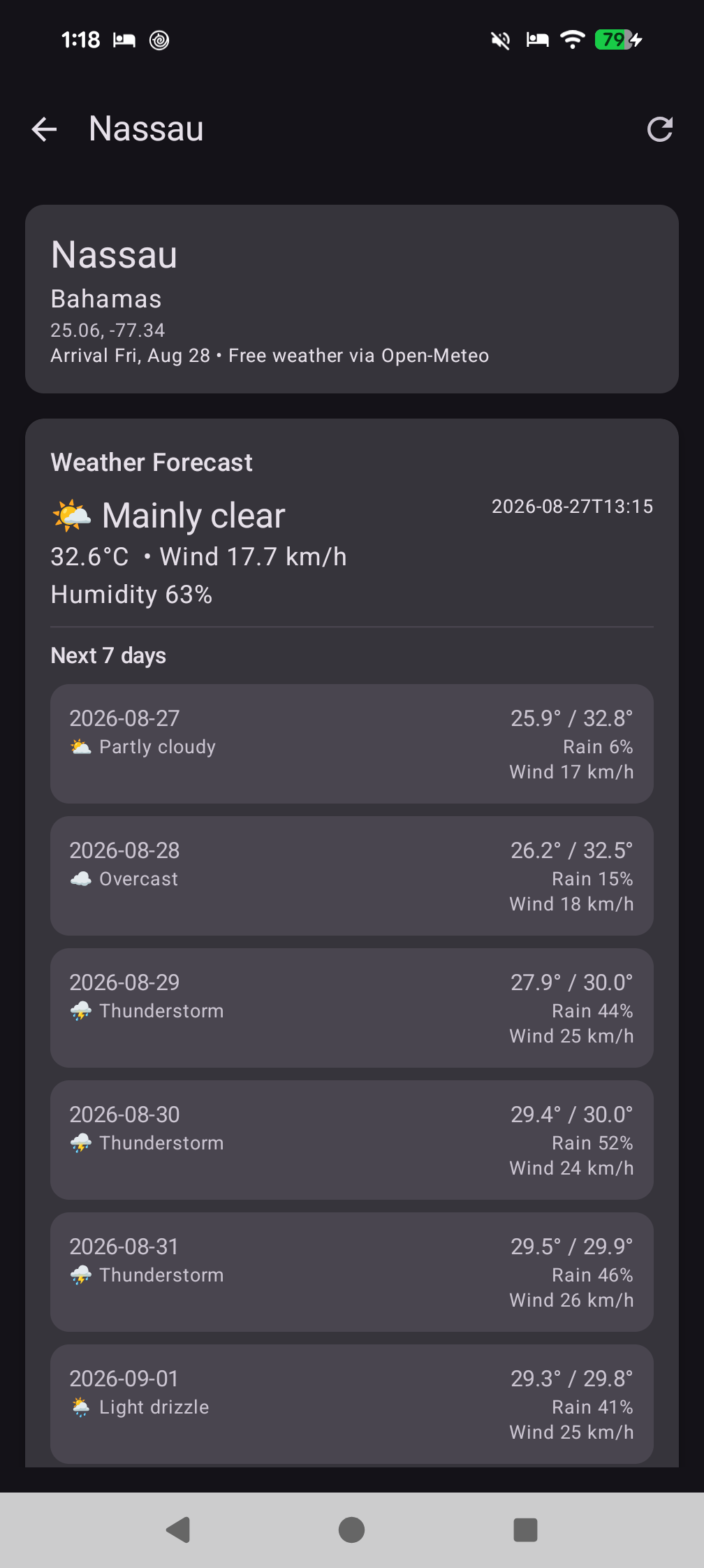
Check the forecast for any port — then view it later without signal. It stays available for a few hours after you check.

⏰

Reminders

Set a reminder for anything on your itinerary and get notified at the right time, even after you restart your phone.

💬

Chat with your group NEW Guest Wi-Fi

Bluetooth Nearby for app users + Guest Wi-Fi Chat for everyone else. Host taps Start Guest Chat → phone creates a local-only hotspot (no internet) + web server on :8085. Guests scan a WIFI: QR to join, then open http://<host-ip>:8085/ in any browser. Captive-portal probe (generate_204) auto-opens the chat like hotel Wi-Fi. One shared thread, live WebSocket, no refresh.

📆

Easy to use

A clean calendar and simple screens help you get set up quickly, so you can get back to enjoying the trip.

New · No app needed

Guest Wi-Fi Chat — no app, no internet, no refresh

One phone hosts a local-only hotspot + tiny web server. Guests join the Wi-Fi and chat in any browser. Captive-portal auto-opens like hotel Wi-Fi.

How it works

Two QR codes, 30 seconds

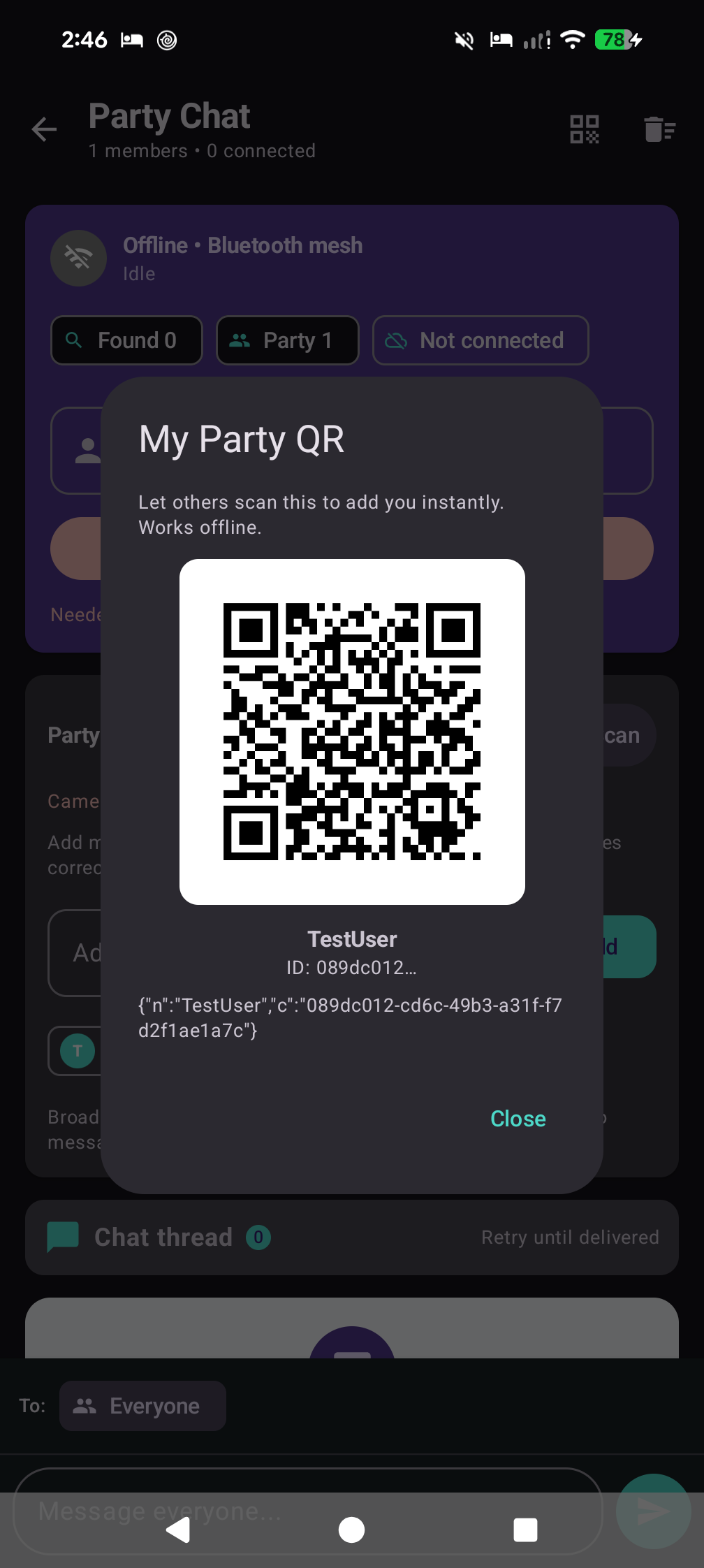
Host taps Start Guest Chat in Party. Phone creates a local hotspot (no internet) on :8085 and shows:

  1. Step 1 — Join Wi-Fi: scan WIFI:T:WPA;S:<ssid>;P:<password>;; QR or enter manually
  2. Step 2 — Open chat: scan URL QR or type http://<host-ip>:8085/ — OS captive-portal check (generate_204 / captive.apple.com) auto-opens the page; no typing if you use the QR
Text-only2000 charsOne hostLive WebSocketHistory on join

One shared thread: app ↔ host ↔ browser via PartyChatRepository + ChatWebServer (ws://<host>:8085/ws). Guest name (40 chars) + localStorage UUID → PartyMember. Host messages fan-out via onMessagePersisted; guest messages → receiveFromWebGuest → Nearby relay.

Stay live: WebSocket timeout=0 + 25s ping keepalive, debounced offline dot, history merge — no manual refresh. Organized Party screen: collapsible Connections & members, Bluetooth Nearby, Guest Wi-Fi, Party Members, Tools above chat, chat at bottom above composer.

Step 1
WIFI QR
WIFI:T:WPA;S:…
Join Wi-Fi
Scan to join
Step 2
URL QR
http://172.24…:8085/
Open chat
Auto-opens
🚢
Cruise Chat — Guest
Connected • No refresh needed
Guests see full history on join; host sees them as PartyMember in the member list. One shared thread across Bluetooth + Wi-Fi Direct + browser.
Screenshots

Real screens from the app

Taken on a Pixel phone with real trip data.

Tap any image to see it larger

How it works

Three steps and you're set

You can get ready before you board, then use it the whole trip.

1

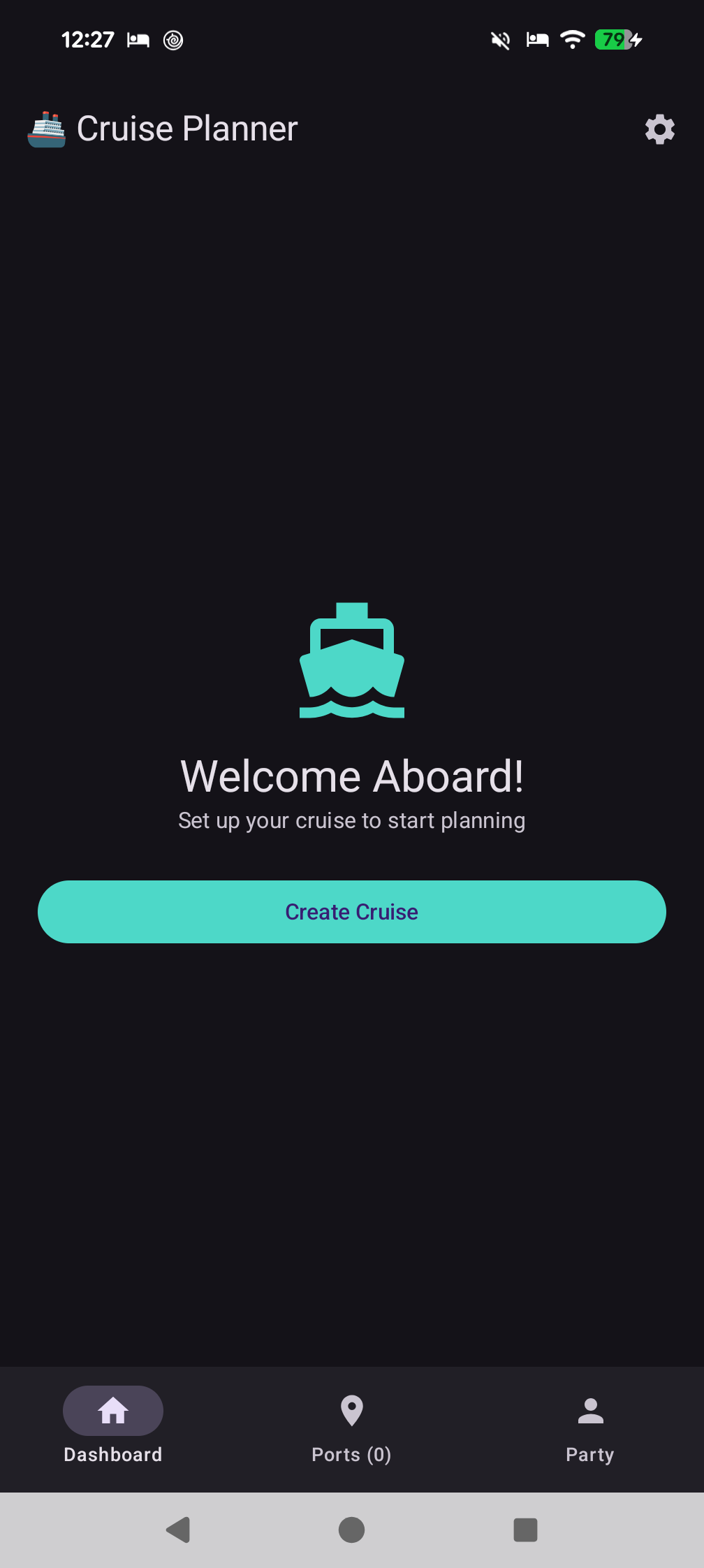
Create your cruise

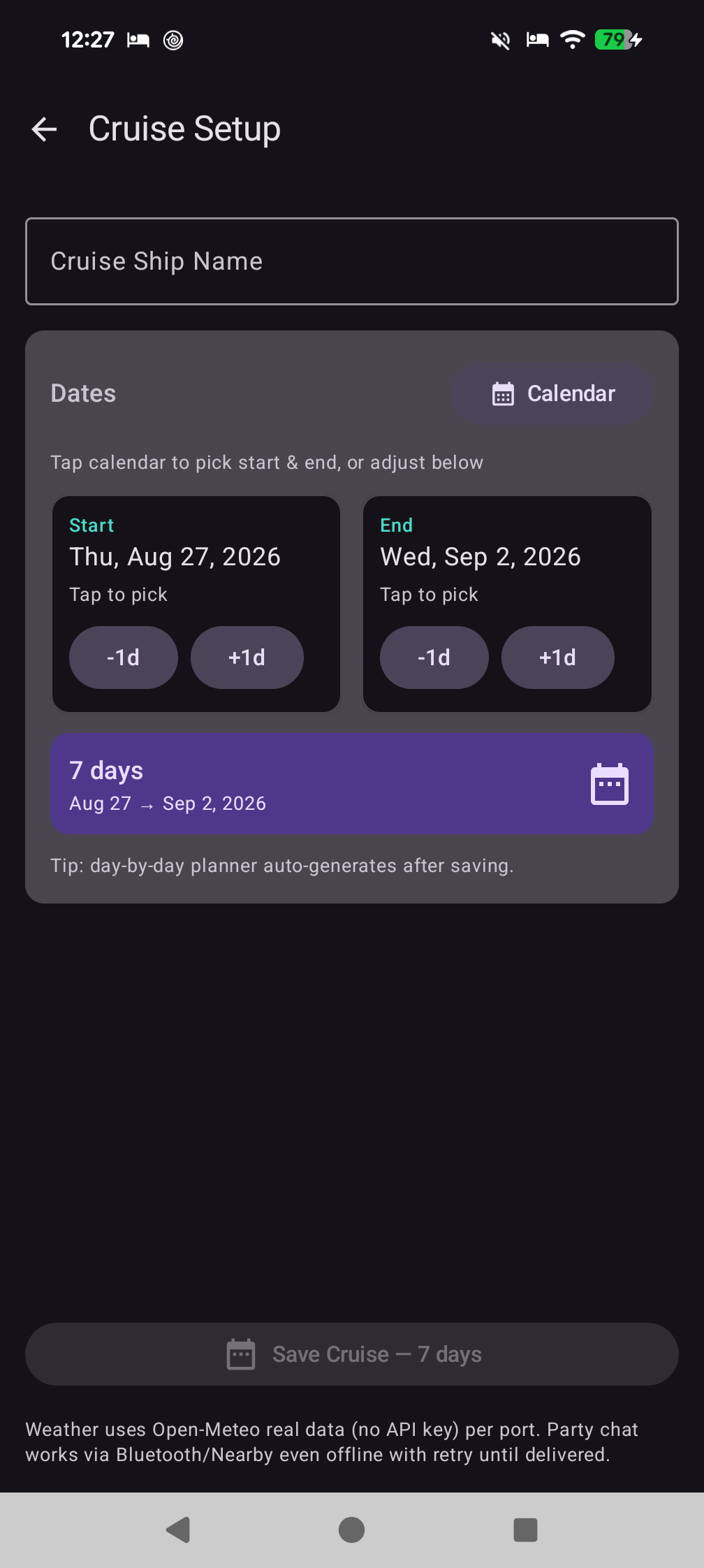
Name your ship and choose your travel dates. We'll lay out the days for you.

2

Add ports and plans

Search for Nassau or Cozumel and add it to your trip. Then add dinners, excursions and reminders to any day.

3

Use it anywhere

Check the weather once in port and view it later at sea. Chat over Bluetooth, or host a Guest Wi-Fi — guests join your hotspot via QR and chat in their browser, no app needed. No internet, no refresh.

Ready to get started?

Get CruiseLoom for your Android phone. It works on Android 8 and newer. Host Guest Wi-Fi, share two QR codes, and your whole group chats — even without the app.